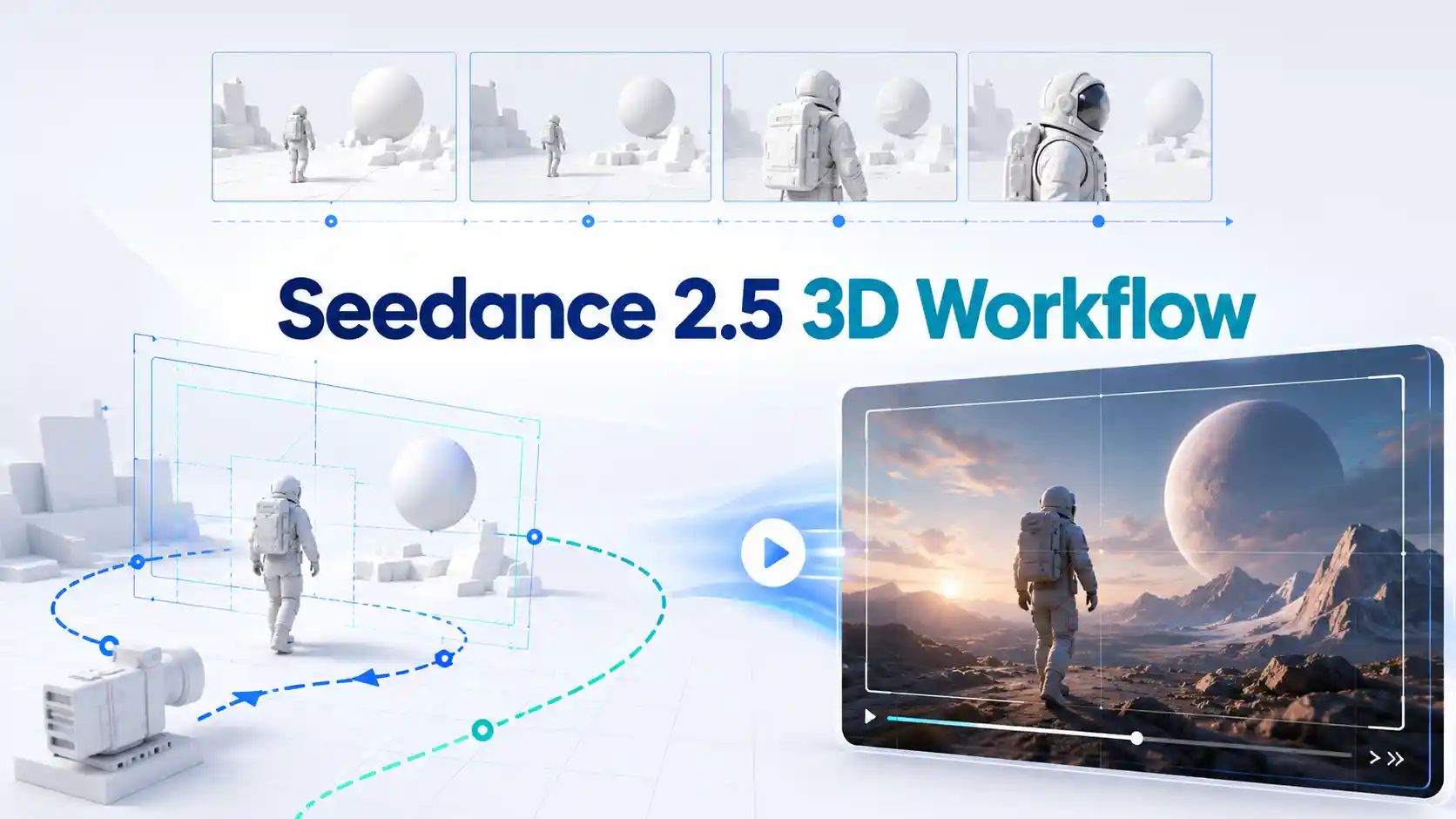
Many AI video generators can now create beautiful clips. But for serious creators, the real challenge is not beauty. It is control.
A video may look impressive in one frame, but once the camera moves, problems can appear. The space may shift. A product may lose its shape. A room may change structure. A character may move in the wrong direction.
This is why the discussion around Seedance 2.5 3D workflow is important. The most interesting point is not only longer generation or better visuals. It is the possibility of using
3D white model references
spatial control
camera movement planning
scene layout guidance
to make AI video more predictable.
This guide explains what the 3D workflow means, how it may help creators, what use cases are most valuable, and what still needs confirmation before public product documentation is available.
What is a 3D Workflow for AI Video?
A 3D workflow gives AI video a spatial foundation.
A 3D workflow does not simply mean generating a 3D model. In this context, it means using 3D structure to guide video generation.
A 3D-guided AI video workflow may use
white model
blockout
layout reference
motion path
to define the scene before generation.
This can help guide:
scene layout
camera position
camera movement
character blocking
object scale
product rotation
motion trajectory
depth and perspective
The 3D layer provides the structure. The AI model can then focus on generating materials, lighting, atmosphere, texture, and visual detail.
Is 3D Workflow the Same as 3D Model Generation?
No. Previs is not the same as 3D asset creation.
A 3D workflow for AI video does not necessarily mean the model can create editable 3D assets, mesh files, rigged characters, Blender scenes, or production-ready 3D models.
A more accurate way to describe this direction is:
3D white model previsualization
3D-guided AI video generation
AI video scene control
camera path guidance
spatial blocking
motion reference control
The goal is not always to create reusable 3D assets. The goal is to use 3D structure to generate a more controlled video.
How Does a 3D White Model Improve Video Generation?
A white model works like a skeleton for the scene.
A 3D white model is a simplified version of a space, object, or scene. It usually does not include final textures, materials, or lighting. Its purpose is to define structure.
In film, animation, game production, and architecture, this process is often called previsualization or previs. Creators use it to plan camera movement, scene blocking, object position, and rhythm before final production.
For AI video, a white model can help define:
where the camera starts
where the camera ends
how the camera moves
where the character stands
how the product rotates
how objects relate to each other
how the space should remain consistent
This makes 3D white model AI video especially useful for shots that require planned movement.
A text prompt can say “slow camera orbit around a product,” but a 3D reference can make the orbit clearer.
A prompt can say “walk through a futuristic hallway,” but a white model can make the hallway structure easier to preserve.
The value is not only better visuals. The value is better AI video control.
What Can Creators Use 3D-Guided AI Video For?
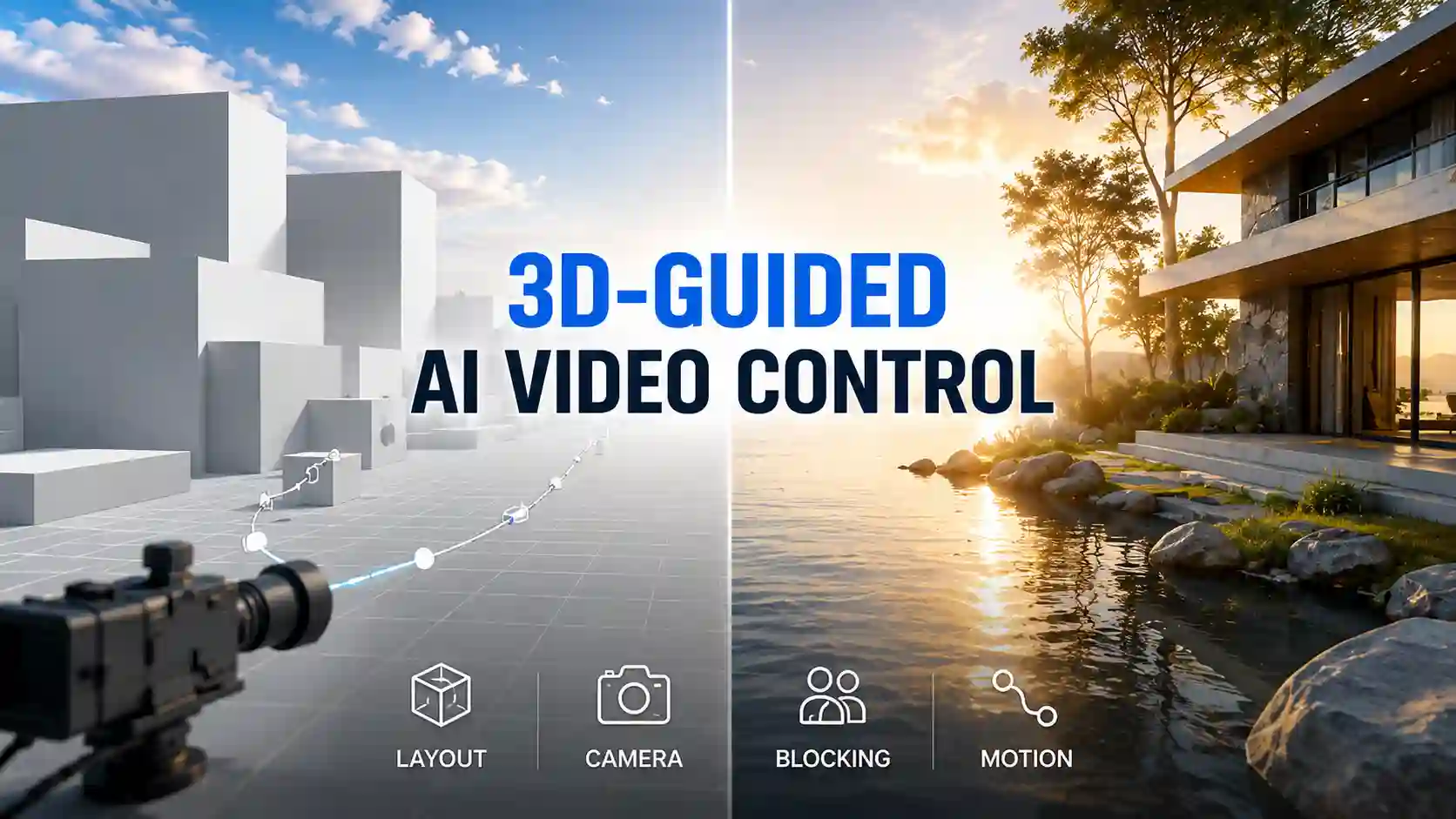
The strongest use cases need space, motion, and precision.
A 3D workflow is most useful when the video needs more than style. It is valuable when creators need planned motion, stable objects, and reliable spatial relationships.
Game CG and Animation Previs
For game studios, animation teams, and virtual character creators, 3D-guided video can support:
game cinematic trailers
anime scene previs
character blocking
virtual idol motion videos
CG promotional clips
stylized action scenes
multi-character movement
Instead of generating a random action scene, creators can define the space and movement first, then let AI add atmosphere and visual detail.
Architecture and Interior Walkthroughs
Architecture is one of the strongest use cases for AI video spatial control.
A building walkthrough needs stable walls, windows, furniture, depth, and camera movement. A 3D-guided workflow may help with:
architecture walkthrough videos
real estate concept tours
interior design presentations
commercial space previews
urban planning demos
landscape design visualization
For architects and designers, the value is not just faster video generation. The value is making AI video more compatible with real spatial planning.
Product Visualization and Industrial Videos
Product videos need consistency. If the product changes shape, the video loses commercial value.
A 3D workflow can be useful for:
product rotation shots
close-up detail videos
multi-angle product reveals
ecommerce product videos
automotive exterior previews
industrial machine demos
electronics launch visuals
For brands, product consistency is part of trust. A beautiful video is not enough if the object does not stay recognizable.
How Should Creators Prepare for a 3D AI Video Workflow?
Better control starts before generation.
Creators can prepare for this workflow even before every feature is fully available.
A practical preparation checklist includes:
Define the scene layout
Know where the subject, background, and key objects should be.
Plan camera start and end points
Avoid vague instructions like “dynamic camera.” Describe the movement clearly.
Mark character blocking
Decide where characters stand, walk, turn, or interact.
Separate motion from style
A motion reference should guide movement, not accidentally change identity, outfit, or lighting.
Prepare product structure references
Protect shape, label, scale, and key details.
Use a shot plan
Break complex videos into clear scene beats.
Test with a simple baseline
Start with one controlled scene before adding multiple references.
The 3D layer may define space, but prompts still matter. The prompt should explain motion, timing, camera behavior, consistency rules, and what should not change.
What Cannot Be Confirmed About Seedance 2.5 3D Workflow?
Seedance 2.5 has not been officially released yet, so creators should avoid treating every 3D workflow detail as a confirmed product feature
At this stage, these points remain unconfirmed:
whether users can upload OBJ, FBX, GLB, Blender, or other 3D files
whether there is a separate 3D white model upload interface
whether the feature will be available to individual users
whether it will be included in the API
whether all accounts can access it
whether complex 3D scenes can directly drive video generation
the exact pricing, parameters, queue time, output quality, and usage limits
🔊 Seedance 2.5 may become available on our website in mid-July.
Stay tuned for the latest access details and product updates.
Read More Seedance 2.5 Guide 📑
AI video is becoming more directable.
The most important value of Seedance 2.5 3D workflow is making AI video more usable.
For filmmakers, it means better camera planning.
For product teams, it means stronger shape consistency.
For architects, it means clearer spatial walkthroughs.
For game and animation creators, it means better previs and blocking.
For marketers, it means more reliable commercial AI video production.
While waiting for broader availability, creators can already build better habits with Seedance 2.0 prompt techniques, shot planning, reference control, and AI video workflow testing.
A better model creates more possibilities.
A better workflow turns those possibilities into production.